Best Readwise Alternatives in 2025
Readwise is great for collecting highlights. But what if you want to actually remember them?
Matthew Metzger

Former Fortune 200 VP of Learning
The Problem
Container 1 Heading Chip: The Problem Section Header: What Readwise Does Well (And Where It Falls Short)
The best Readwise alternatives include Loxie for active recall, Matter for free read-later, Notion for note organization, and Kindle's built-in highlights.
Readwise is excellent at collecting and resurfacing highlights - but passive review isn't the same as active retention. If you want to actually remember what you've highlighted, you need a different approach (which is why Loxie is our top pick).
This guide covers options for every use case.
Top Pick
Loxie – Best for Actually Retaining What You Read
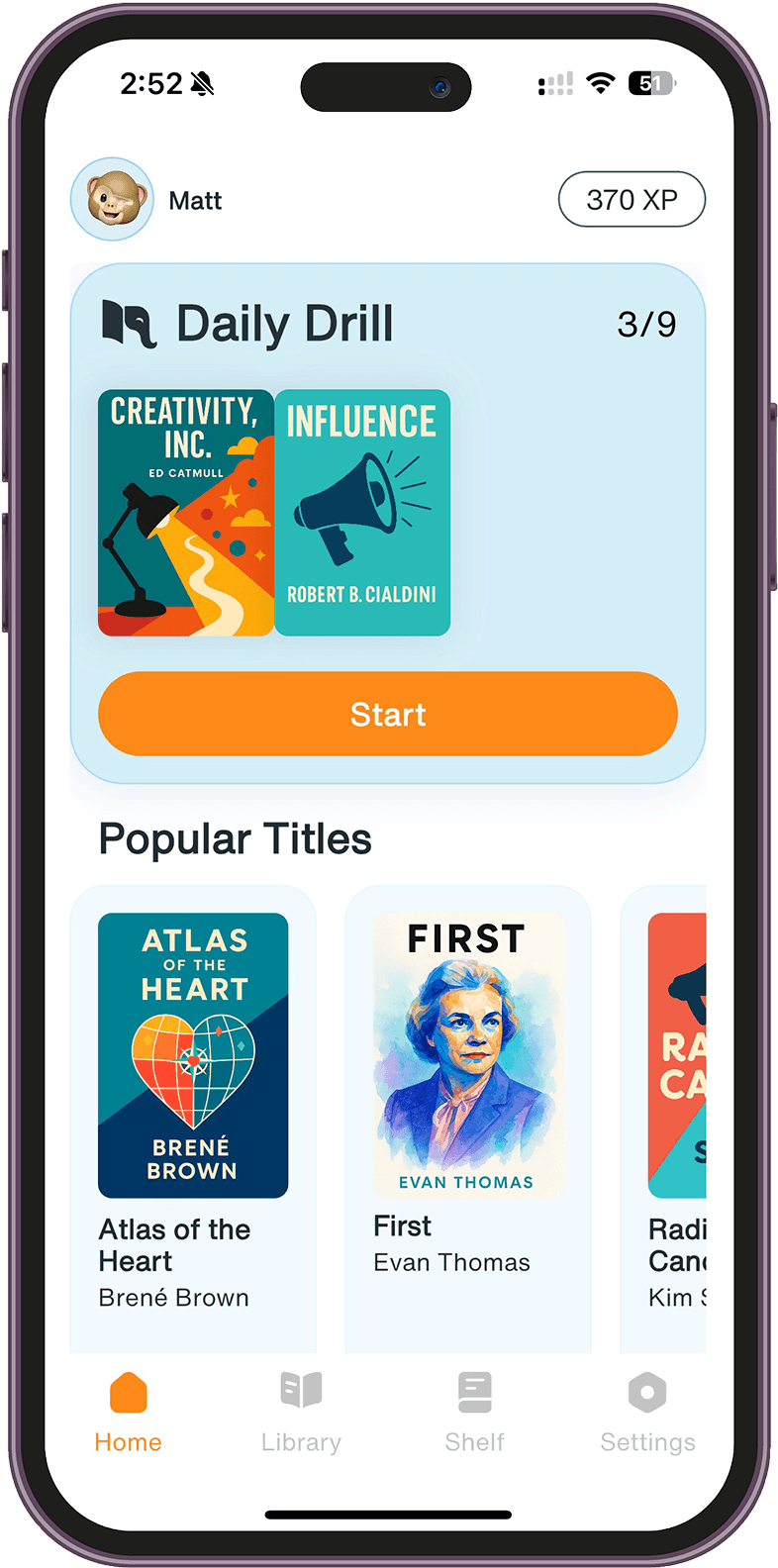
What it is: Loxie is a retention app that uses spaced repetition and active recall to help you remember books and topics long-term.
How it works: You add books to your shelf, and Loxie serves you daily questions based on key concepts. Instead of passively reviewing highlights, you're actively retrieving information – which builds stronger, longer-lasting memories.
What makes it different: Loxie doesn't just resurface content. It quizzes you on it. This active approach is proven to be significantly more effective for retention than passive review. And unlike Anki, you don't build the flashcards yourself – Loxie provides the questions.
Limitations: Loxie works from its own content library rather than your personal highlights. The catalogue covers hundreds of popular nonfiction titles, but check the current catalogue to see if your books are included. New titles are added regularly.
Best for: Readers who want to remember books, not just collect highlights. People frustrated that they forget key ideas weeks after finishing a book.
Pricing: Free 7-day trial. Pro ($59.99/year or $7.99/month)* unlocks unlimited drills and advanced features.
Try it: loxie.app
For Cheaper Highlights
Matter – Best Free Readwise Alternative
What it is: Matter is a read-later app that also syncs highlights and offers a daily review feature, similar to Readwise.
How it works: Save articles and newsletters to Matter, highlight as you read, and the app resurfaces those highlights periodically. It also integrates with Kindle and other sources.
What makes it different: Matter's core features are free, making it an accessible alternative if Readwise's pricing feels steep. The reading experience is clean and modern.
Limitations: Like Readwise, Matter uses passive review – you see highlights again, but you're not actively tested on them. It's also more focused on articles and newsletters than books.
Best for: People who want Readwise-style highlight resurfacing without the subscription cost. Heavy article readers.
Pricing: Free for core features. Premium plans available for additional functionality.
For Note-Takers
Notion / Obsidian – Best for Building a Knowledge System
What it is: Notion and Obsidian are note-taking apps that let you organize highlights, notes, and ideas in customizable databases or linked documents.
How it works: Export your highlights from Kindle or other sources (manually or via tools like Readwise itself), then organize them in your preferred structure. Some users build elaborate "second brain" systems.
What makes it different: Total control over organization. You can link ideas across books, add your own commentary, and build a searchable personal knowledge base.
Limitations: These tools capture and organize – they don't help you remember. Without active review, your notes become a reference library you rarely revisit. Also, getting highlights into these apps requires more manual work than Readwise's automatic sync.
Best for: People who want to build a connected knowledge system. Those who value organization and reference over memorization.
Pricing: Both have free tiers. Notion Plus is ~$10/month. Obsidian is free for personal use.
For Kindle Users
Kindle's Built-in Features – Best for Staying in the Ecosystem
What it is: Amazon's Kindle app and devices have built-in highlight management, including a web-based notebook at read.amazon.com.
How it works: Your Kindle highlights sync automatically to your Amazon account. You can browse them by book, search across all highlights, and export them manually.
What makes it different: It's free and already built into the ecosystem you're using. No additional subscription required.
Limitations: Highlights stay siloed in Amazon's system – no automatic resurfacing, no daily review emails, no integration with other reading apps. You have to actively go look at your highlights, which most people don't do.
Best for: Kindle-only readers who want basic highlight access without paying for another tool.
Pricing: Free (included with Kindle).
For Export and Backup
Bookcision / Clippings.io – Best for Getting Highlights Out
What it is: These are utility tools that help you export Kindle highlights in various formats (PDF, text, Markdown, etc.).
How it works: Connect to your Kindle account or upload your clippings file, and the tool exports your highlights in a format you can use elsewhere.
What makes it different: Simple, focused purpose – getting your highlights out of Amazon's walled garden so you can use them however you want.
Limitations: These are export tools, not review systems. Once you have the highlights, you need to do something with them yourself.
Best for: People who want to back up highlights or move them into another system (Notion, Obsidian, etc.).
Pricing: Bookcision is free (browser extension). Clippings.io has free and paid tiers.
The Verdict
Which Readwise Alternative Should You Use?
It depends on what you're actually trying to accomplish:
If you want to remember what you read, not just collect highlights: Loxie. Active recall beats passive review for retention. You'll be quizzed on concepts rather than just shown old highlights.
If you want Readwise-style features for free: Matter. Similar highlight resurfacing without the subscription cost.
If you want to build a personal knowledge system: Notion or Obsidian. Full control over organization, but no built-in retention features.
If you just want basic highlight access: Kindle's built-in tools. Free and functional, just limited.
If you need to export and backup highlights: Bookcision or Clippings.io. Get your highlights out, then decide what to do with them.
The honest truth is that Readwise is excellent at what it does – syncing and resurfacing highlights. But resurfacing isn't the same as retaining. If your goal is to actually remember what you read long-term, you need active recall, not passive review.
FAQ
Frequently Asked Questions
Is Readwise worth the price? If you highlight heavily across multiple platforms and want everything in one place, Readwise is a solid tool. But if your goal is long-term retention rather than just organization, passive highlight review has limited effectiveness. You might get more value from an active recall tool like Loxie.
Can I use Readwise and Loxie together? Yes. They solve different problems. Readwise captures and organizes your personal highlights. Loxie actively quizzes you on book concepts to build retention. One is a library; the other is a gym.
What's the best free alternative to Readwise? Matter offers similar highlight syncing and resurfacing features for free. Kindle's built-in notebook is also free if you're Kindle-only. For active retention, Loxie offers a free 7-day trial.
Does Readwise actually help you remember? It helps you see your highlights again, which is better than nothing. But research shows passive review is significantly less effective for long-term memory than active recall. You'll recognize highlights when you see them, but you may not remember them when you need them.
Can I import my Readwise highlights into another app? Yes. Readwise exports to Notion, Obsidian, Evernote, and other tools. You can also export as CSV or Markdown. This makes it useful as a syncing hub even if you use other tools for organization or retention.
Why do people leave Readwise? Common reasons: the subscription feels expensive for what it does, the daily emails become noise rather than signal, or people realize seeing highlights isn't helping them remember. Some switch to free alternatives; others move to active recall tools.
*App prices change frequently and may vary by region or promotional offers. We've included approximate pricing to help you compare, but always check the official app or website for current rates before subscribing.